Submission Guide

  • Home
  • Submission Guide

GİKK 2027 Paper Submission: Step-by-Step User Guide

To complete your GİKK 2027 paper submission, please follow the steps below in order.
If you are using the application system for the first time, start with the registration steps.

PART 1

REGISTRATION AND LOGIN

Step 1: Log in to the system. On the GİKK page at oevent.okan.edu.tr, click the GİRİŞ YAP (Log In) button in the top right corner.
Step 2: Register. On the login screen, click the Kayıt Ol (Register) button below Hesabınız yok mu? (Don't have an account?).
Step 3: Enter your e-mail address and click Hesap Oluştur (Create Account); a verification code will be sent to your e-mail address.
PART 2

PAPER SUBMISSION

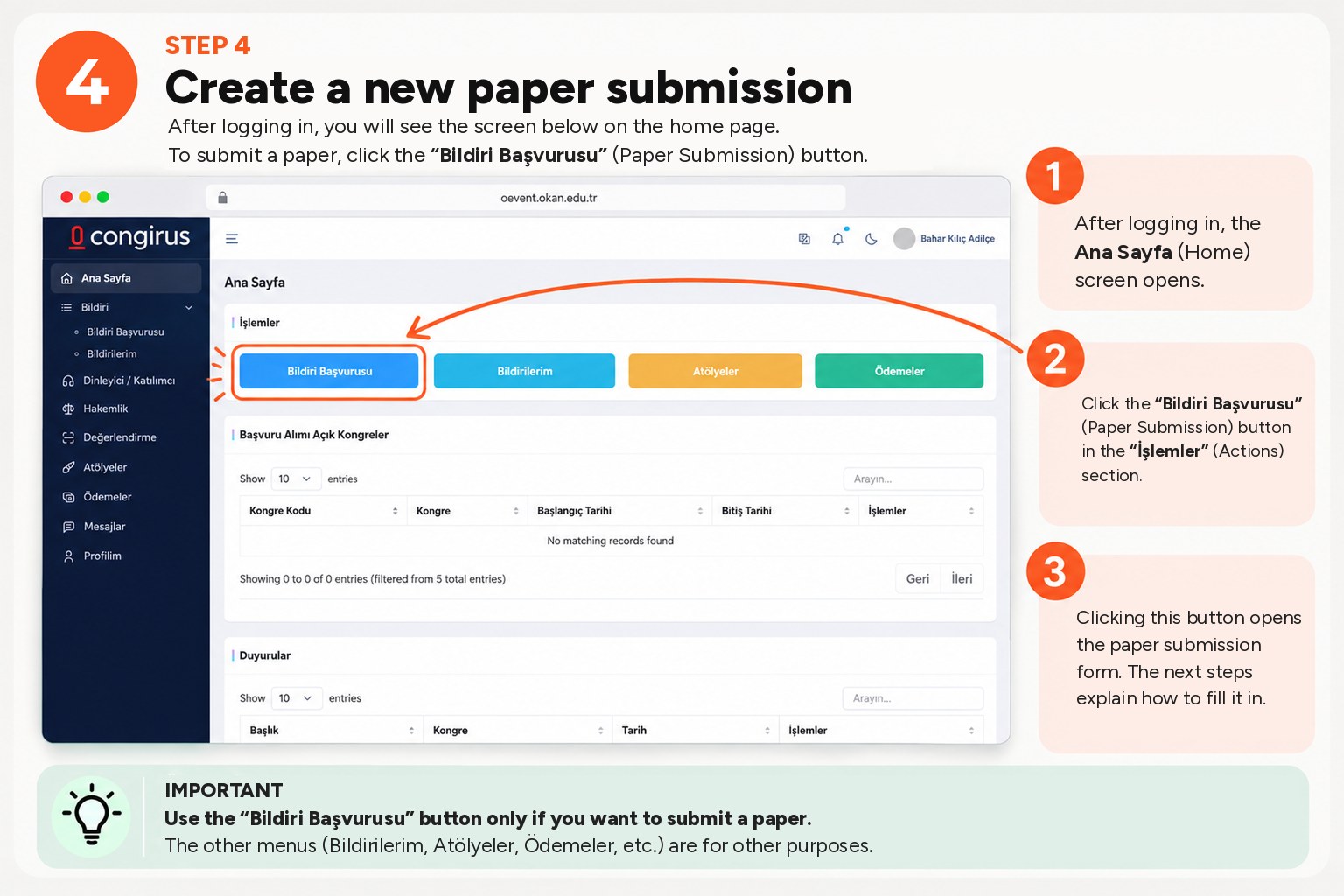
Step 4: Create a new paper submission. Click the Bildiri Başvurusu (Paper Submission) button in the İşlemler (Actions) section of the home page.
Step 5: Select presentation and participation details. Presentation Type is Sözlü Sunum (Oral Presentation), Paper Type is Sözlü Bildiri (Oral Paper); choose Yüz Yüze (In Person) or Online as Participation Type.
Step 6: Upload your abstract files: four separate Word (.docx) files in Turkish and English, with names and anonymous.
Step 7: Check the author information in the 3. Yazarlar (Authors) section, add authors with Yazar Ekle (Add Author) if needed, and select the corresponding author.
Step 8: Click the Kaydet ve Bilim Kuruluna Gönder (Save and Send to the Scientific Committee) button at the bottom of the page. Follow the correction notifications sent through the system.